
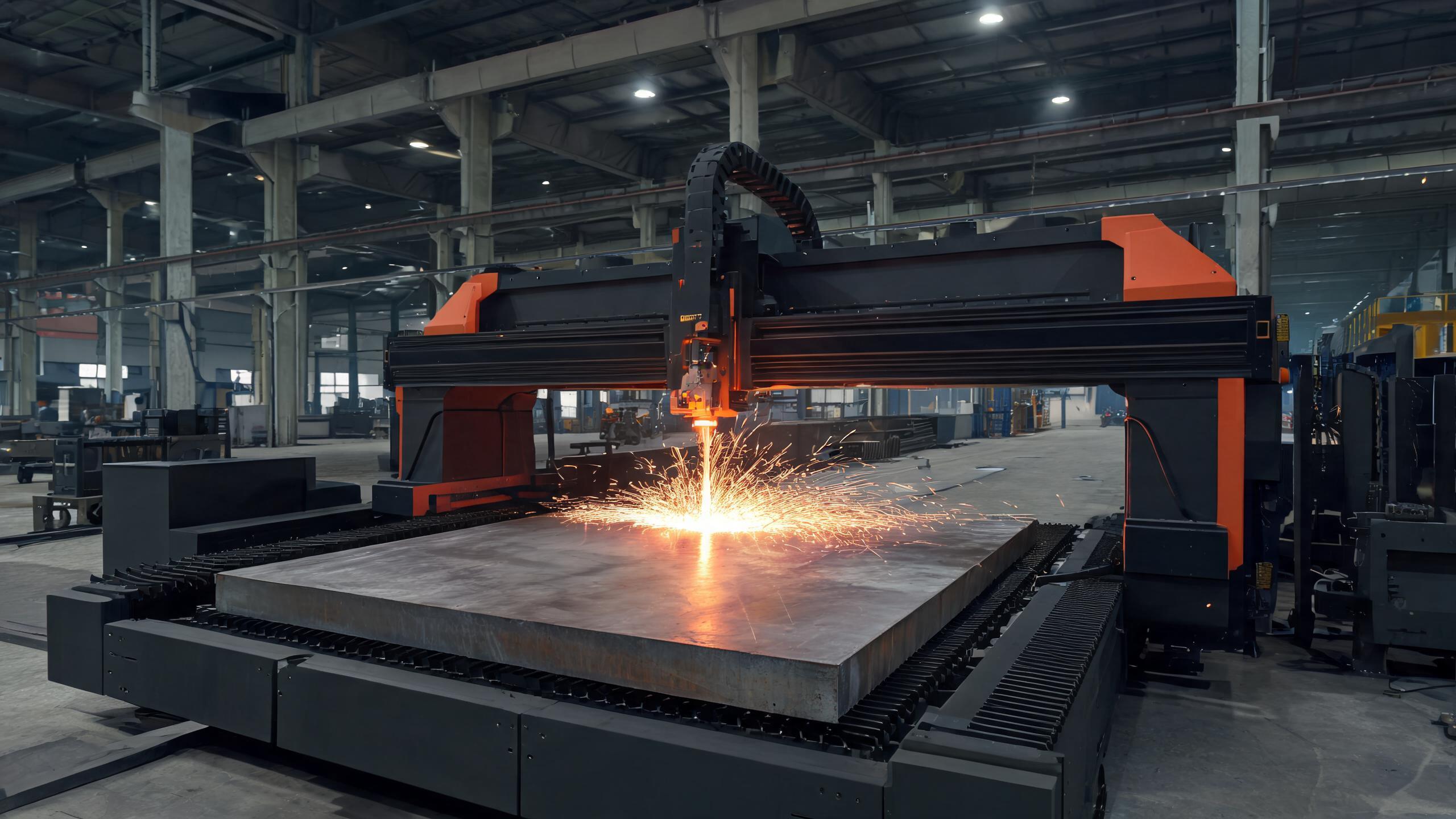
A practical guide for B2B buyers on how to choose a CNC machine, with detailed selection criteria for laser cutting machines: material, power, cutting area, positioning accuracy, software, and supplier evaluation.
BUYER GUIDE
Buying a CNC machine is a capital decision. For a fabricator, job shop, or manufacturer, the difference between the right and wrong machine can be tens of thousands of dollars in productivity—or in downtime. When the machine in question is a laser cutter, the stakes are even higher: the technology, power, and configuration you choose will define your cutting capability for years.
This guide is written for procurement managers and production engineers who need a clear, practical framework for how to choose a CNC machine, with a dedicated focus on laser cutting machines. We’ll walk through the key selection criteria, compare machine types, and give you a checklist you can use when evaluating suppliers.
- Define your material, thickness, and production volume before looking at machines—these determine power and machine type.
- Laser cutting machines are ideal for thin to medium sheet metal, with fiber lasers offering speed and efficiency for non-ferrous metals.
- Check positioning accuracy, repeatability, and maximum cutting speed—these specs directly affect part quality and cycle time.
- Don’t buy on power alone: consider the cutting table size, laser source brand, and software compatibility.
- Evaluate the supplier’s support: training, spare parts availability, and response time are as important as the machine specs.
Step 1: Define Your Application Before You Choose a CNC Machine
The most common mistake in machine selection is starting with the machine rather than the application. Before you compare quotes, answer these questions:
- What materials will you cut? Steel, stainless steel, aluminum, brass, or plastics? Fiber lasers handle non-ferrous metals well; CO2 lasers are better for organic materials like wood and acrylic.
- What thickness range? For sheet metal up to 20–25 mm, a fiber laser is typically the best choice. For thicker plate, you may need a higher power (6 kW and above) or consider plasma or waterjet.
- What is your daily or weekly production volume? This determines the required cutting speed and the level of automation (e.g., auto-feed, pallet changers).
- What part sizes? This dictates the cutting table dimensions. A 1500×3000 mm table is common for standard sheet; larger parts need bigger tables.
Write down your answers. They will guide every subsequent decision.
Step 2: Understand the Main CNC Machine Types
When people search for “how to choose CNC machine,” they often encounter a broad range of machine tools: CNC routers, milling machines, plasma cutters, and laser cutters. Here’s a quick comparison to help you narrow down:
| Machine Type | Best For | Typical Thickness | Edge Quality | Operating Cost |
|---|---|---|---|---|
| CNC Router | Wood, plastics, soft metals | Up to 50 mm | Good, but requires finishing | Low to moderate |
| Plasma Cutter | Thick steel, structural work | 6–50 mm | Moderate, dross may form | Moderate (consumables) |
| CO2 Laser | Thin metals, wood, acrylic | Up to 10 mm (metal) | Excellent, clean edge | Higher (gas consumption) |
| Fiber Laser | Sheet metal, stainless, aluminum | 0.5–25 mm | Excellent, minimal burr | Lower (high efficiency) |
For most sheet metal fabrication shops, a fiber laser cutting machine is the modern default because of its speed, precision, and low operating cost. CO2 lasers are still relevant for non-metal materials, but fiber has largely replaced them in metal cutting.
Step 3: Key Selection Criteria for Laser Cutting Machines
Once you’ve decided that a laser cutter is the right technology, focus on the following specifications. These are the numbers that matter when you select a laser cutting machine.
3.1 Laser Power (Wattage)
Laser power directly determines the maximum cutting thickness and speed. Common power ratings for fiber lasers range from 1 kW to 12 kW. As a rule of thumb:
- 1–2 kW: Up to 6–8 mm mild steel, 3–4 mm stainless.
- 3–4 kW: Up to 12–16 mm mild steel, 6–8 mm stainless.
- 6 kW and above: Up to 25 mm mild steel, 12 mm stainless, with faster speeds on thin material.
Higher power also increases cutting speed on thin materials, which improves throughput. However, it also increases the machine price and energy consumption. Match the power to your actual production needs.
3.2 Cutting Table Size
The cutting table size (e.g., 1500×3000 mm, 2000×4000 mm) must accommodate your largest typical workpieces. If you occasionally cut larger parts, you may need a larger table or consider a machine with a shuttle table for easy loading. Remember that a larger table also takes up more floor space.
3.3 Positioning Accuracy and Repeatability
These specs determine the precision of your parts. Positioning accuracy is typically ±0.03 mm to ±0.05 mm for modern fiber lasers, with repeatability around ±0.02 mm. For industries like aerospace or medical devices, tighter tolerances are critical. Always ask for the machine’s accuracy data sheet.
3.4 Maximum Cutting Speed
Cutting speed (in meters per minute) affects cycle time. A higher speed is beneficial for thin materials, but the actual speed depends on the material and thickness. Don’t compare speeds alone—compare the speed at your specific material and thickness.
3.5 Laser Source Brand
The laser source is the heart of the machine. Well-known brands (e.g., IPG, Raycus, nLIGHT) offer different reliability and price points. Ask the supplier which source they use and whether it is a name brand. A reputable source ensures better beam quality and longer service life.
3.6 Software and Control System
The control system (e.g., CypCut, FSCUT, or proprietary) affects ease of use and compatibility with your CAD/CAM software. Check whether the software supports common file formats (DXF, DWG) and whether it includes nesting features to optimize material usage.
3.7 Auxiliary Features
Consider features that affect productivity and safety:
- Auto-focus cutting head: Adjusts focus automatically for different thicknesses.
- Shuttle table: Allows loading/unloading while cutting, reducing downtime.
- Enclosure and fume extraction: Important for safety and compliance with local regulations.
- Chiller: Cools the laser source; ensure it’s included or specified.
Step 4: Compare Supplier Quotes Beyond the Price
When you evaluate quotes from different suppliers, don’t just compare the base price. Create a comparison table that includes:
- Laser source brand and warranty
- Cutting head brand (e.g., Raytools, Precitec)
- Controller and software version
- Included accessories (chiller, exhaust, spare parts kit)
- Installation, training, and after-sales support
- Delivery time and shipping terms
- Ask for a sample cutting test on your material and thickness.
- Request the machine’s CE or other relevant certifications (verify they are valid for your market).
- Check the supplier’s service response time and spare parts availability.
- Ask for references from customers in your industry.
- Confirm the warranty period and what it covers (laser source, optics, mechanical parts).
Step 5: Consider Total Cost of Ownership
The purchase price is only the beginning. Calculate the total cost of ownership over 5 years, including:
- Energy consumption: Fiber lasers are more efficient than CO2, consuming less electricity per hour.
- Consumables: Nozzles, lenses, protective windows, and assist gases (oxygen, nitrogen).
- Maintenance: Regular cleaning and calibration; some parts may need replacement.
- Downtime: A more reliable machine may cost more upfront but reduce lost production.
Ask the supplier for typical consumable costs and maintenance intervals.
Common Mistakes to Avoid When Choosing a CNC Machine
- Buying too much power: A 6 kW machine is overkill if you only cut 3 mm steel. You’ll pay more upfront and in energy.
- Ignoring table size: A smaller table limits your part size, but a larger table wastes space if you never use it.
- Overlooking software compatibility: If your team uses SolidWorks or AutoCAD, ensure the machine’s software can import those files seamlessly.
- Not testing the machine: Always request a cutting test with your actual material. A machine that looks good on paper may not deliver the edge quality you need.
- Choosing a supplier with weak support: A laser cutter is a long-term investment. If the supplier can’t provide training or spare parts quickly, your production will suffer.
Frequently Asked Questions
What is the difference between a CO2 and a fiber laser cutting machine?
CO2 lasers use a gas mixture and are effective for non-metals and thinner metals. Fiber lasers use a solid-state source and are more efficient, faster, and better for reflective metals like aluminum and brass. For most metal fabrication, fiber is the preferred choice.
How much power do I need for cutting 10 mm mild steel?
For 10 mm mild steel, a 3 kW fiber laser can cut at moderate speed, but a 4 kW or 6 kW will cut faster and provide better edge quality. Confirm with the supplier’s cutting charts.
Can a laser cutting machine cut aluminum?
Yes, fiber lasers cut aluminum well. However, aluminum reflects some laser light, so the machine must have proper safety features and the right assist gas (nitrogen is common for clean edges).
What is the typical lifespan of a fiber laser source?
Most fiber laser sources are rated for 100,000 hours of operation (approximately 10+ years of normal use). The actual lifespan depends on usage and maintenance.
How do I know if a supplier is reliable?
Ask for certifications, request references, and visit the factory if possible. A reliable supplier will provide transparent specifications, a clear warranty, and responsive communication.
Final Thoughts
Choosing a CNC machine—especially a laser cutting machine—requires a systematic approach. Start by defining your application, then evaluate the key technical specs, and finally compare suppliers on more than just price. By following the criteria in this guide, you’ll be able to select a laser cutting machine that fits your production needs and budget.
If you’re currently evaluating options, we recommend preparing a detailed RFQ (request for quotation) that includes your material types, thicknesses, and expected production volume. Share this with multiple suppliers and compare their proposals side by side. This process will save you time and help you avoid costly mistakes.
“The best machine is not the one with the highest specs, but the one that matches your production reality.”
For more guidance or to discuss your specific requirements, feel free to contact our team—we’re happy to help you evaluate the right solution for your shop.