
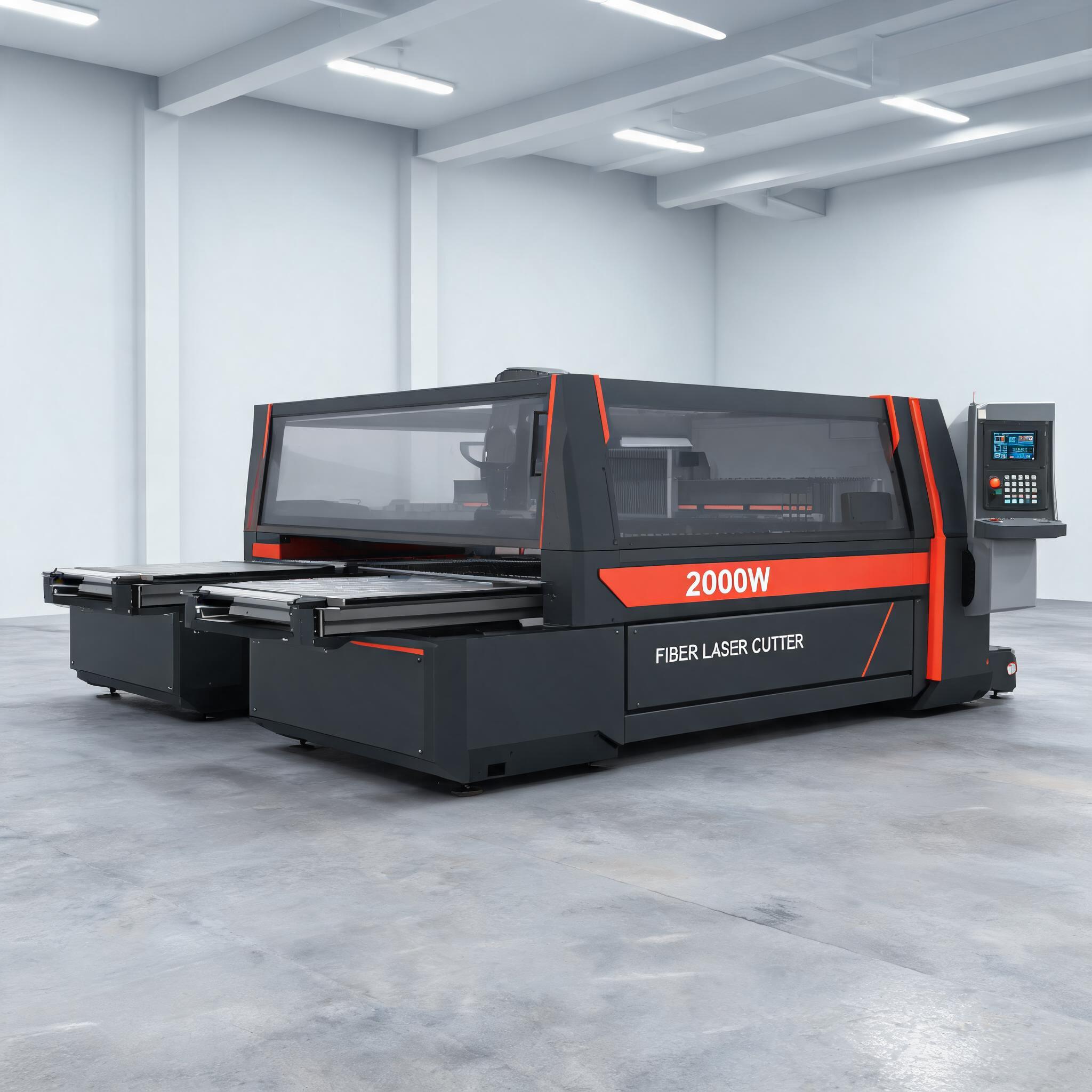
A practical parameter framework for 2000W fiber laser cutting: how power, cutting speed, focus position, nozzle, standoff, assist gas and pierce time interact to control edge quality and dross, what this power level can cut in carbon steel, stainless steel and aluminum, and a pre-cut checklist that keeps settings tied to your material batch and machine cutting chart.
A 2000W fiber laser is a mid-power source. It can cut thin to medium sheet cleanly and quickly, and it runs out of headroom sooner than the headline wattage suggests. The settings that matter are not a single number copied from a chart; they are a set of interacting values that you adjust together until the kerf is clean and the underside is free of dross. This article explains how those parameters relate, what a real 2000W machine is rated to cut, and how to approach a new material batch without guessing.
Key takeaways
- Six parameters govern cut quality together: laser power, cutting speed, focus position, nozzle and standoff, assist gas type and pressure, and pierce time.
- A 2000W fiber laser cutting machine is rated for carbon steel up to 8mm, stainless steel up to 5mm and aluminum up to 4mm.
- Ratings describe capability at the top of the range, not a guarantee of burr-free edges at that thickness on every batch.
- Confirm exact values against the machine cutting chart for your material grade and batch before production.
On this page
The parameter framework: what actually controls the cut
Cut quality on a fiber laser is the result of energy delivered per unit of cut length, the shape and position of the beam at the workpiece, and how efficiently molten metal is ejected from the kerf. Each parameter below does one job, and changing any of them shifts the balance of the others.
Laser power
Power sets the maximum energy available to melt the material. On a 2000W source, output is a fixed ceiling; the practical question is how much of it you apply to a given thickness and material. Too much power relative to travel speed overheats the cut zone and produces a wide, rough kerf with heavy dross. Too little leaves the material partially melted and the cut incomplete.
Cutting speed
Speed works with power. Faster travel means each millimetre receives less energy; slower travel means more. This is the first parameter most operators adjust, and it is also where dross problems usually originate: running too slowly on thin sheet overheats the edge, while running too fast on thicker sheet leaves the beam unable to penetrate fully.
Focus position
Focus determines where the beam is narrowest. Placing the focal point near the top surface gives a tighter kerf and is typical for thin sheet. Moving it downward into the material widens the beam lower down, which can help thicker sections. Focus and standoff are often adjusted together because both change the usable depth of the beam.
Nozzle and standoff
The nozzle shapes the gas flow into the kerf. Standoff — the gap between nozzle tip and workpiece — affects how much gas pressure actually reaches the cut and how well the melt is expelled. A worn or misaligned nozzle disturbs the flow, and no amount of parameter tweaking compensates for it.
Assist gas type and pressure
Gas selection follows material. Oxygen is used in carbon steel, where the exothermic reaction adds heat; nitrogen is used for stainless steel and aluminum, where an inert atmosphere prevents oxidation and preserves a bright edge. Pressure must match the job: enough to clear the kerf, not so much that it destabilises the melt flow or over-cools the cut.
Pierce time
Piercing is where many cut failures begin. A pierce that is too short leaves unmelted material at the entry point, which the beam then drags through the kerf. A pierce that is too long wastes cycle time and can create an oversized entry hole. Pierce time should scale with thickness and material, and it should be verified on the first part of a batch, not assumed.
How the parameters interact
Reading a parameter chart in isolation invites trouble, because each value is tuned against the others. A few relationships are worth keeping in mind:
- Power and speed move in opposite directions. Reducing speed without reducing power transfers excess energy into the cut zone and shows up as dross and a wider heat-affected zone.
- Focus and standoff both alter beam geometry at the work. Adjust one, then recheck the other; a change in standoff effectively shifts the focus relative to the surface.
- Gas and speed are coupled. Nitrogen cutting tends to run faster than oxygen cutting for the same thickness because there is no oxidation reaction to rely on, so the energy budget changes.
- Pierce quality sets the start of every cut. A marginal pierce produces a marginal first 10mm of edge, even if the steady-state parameters are correct.
Edge quality and dross are therefore diagnostic signals. Rough, strongly attached dross usually points to speed too low or power too high. A cut that fails to complete points the other way. Oxidation discoloration on stainless steel points at gas purity or gas coverage, not at speed. Work through the symptom, not the chart.
Thickness capability by material
A 2000W fiber laser cutting machine is rated for the following maximum thicknesses. These are capability limits that describe what the machine can process; the quality achieved at the top of each range is a separate question that depends on material batch, gas supply and how well the parameters are tuned.
| Material | Rated maximum thickness | Typical assist gas | Notes for 2000W operation |
|---|---|---|---|
| Carbon steel (mild steel) | Up to 8mm | Oxygen | Broadest range of the three materials. The oxidation reaction assists cutting, so mid-thickness work is within comfortable reach; edge finish and dross at the top of the range depend on gas pressure and speed tuning. |
| Stainless steel | Up to 5mm | Nitrogen | No exothermic assistance, so the full 2000W is doing the melting. Nitrogen purity and coverage matter for a clean, oxide-free edge. |
| Aluminum | Up to 4mm | Nitrogen | Narrowest range. Aluminum reflects the beam and conducts heat away quickly, so thickness capability sits below stainless steel at this power level. |
The practical reading: if your work sits comfortably inside these limits — say 3mm carbon steel, 2mm stainless or 1.5mm aluminum — a 2000W machine has margin to cut at good speed with clean edges. If a routine job sits at the top of a range, treat the rating as a threshold to test rather than a production guarantee, and check edge quality and dross on a sample from the actual batch before committing a production run.
A real 2000W machine as the anchor
Parameter discussions become abstract without a reference machine. The 2000W fiber laser cutting machine carries the ratings above — carbon steel to 8mm, stainless steel to 5mm, aluminum to 4mm — on a 1500×3000mm table, with positioning accuracy of ±0.03mm. The table size matters for the parameter workflow: a standard 1500×3000mm sheet means fewer re-fixturing interruptions, so a parameter set that performs well can be validated across the full sheet in one run rather than piece by piece.
Accuracy of ±0.03mm is the dimensional side of the equation. It describes where the machine positions the head; achieving a clean edge at a given thickness is still a matter of the six parameters above. The two should be evaluated separately — a machine can hold tolerance while producing an edge that needs deburring, and that distinction affects downstream labour and consumable cost.
For shops where loading and unloading time dominates the cycle, an exchange-table variant is available: the 2000W exchange-table fiber laser cutting machine swaps tables in 30 seconds or less; the manufacturer states 25–35% higher productivity, a figure that depends on your loading and unloading cycle and should be validated against your own part mix. In parameter terms, this matters because a table swap does not interrupt the cut, so a validated parameter set runs continuously across sheets without the stop-start that can mask edge inconsistencies.
Pre-cut checklist
Before running a new material batch or a new thickness, work through the following. The aim is to confirm that the values you intend to use are correct for this material, not simply familiar from the last job.
- Confirm the cutting chart for your machine. The manufacturer's cutting chart is the only authoritative source of starting values for thickness, material and gas. Use it as the baseline; do not substitute a chart from another machine or another power level.
- Record the material grade and batch. Carbon steel, stainless steel and aluminum each behave differently, and grades within each family vary. Note the grade, thickness tolerance and surface condition for the batch in hand.
- Verify gas supply. Check that the correct gas is connected for the material — oxygen for carbon steel, nitrogen for stainless and aluminum — and that pressure and purity are consistent with the chart's requirements.
- Inspect the nozzle and check standoff. A worn, chipped or misaligned nozzle changes gas flow and defeats correct parameters. Set standoff to the chart value and confirm it on the first sheet.
- Set and test the pierce. Run the first pierce on scrap or on a sacrificial area and inspect the entry point. A clean pierce is the precondition for a clean edge.
- Cut a sample and inspect both faces. Check the top edge for roughness and the underside for dross and attachment. Adjust one parameter at a time — usually speed first, then focus — and re-inspect.
- Reconfirm when the batch or thickness changes. A parameter set validated on one batch is a starting point for the next, not a permanent setting.
Common questions
Can a 2000W fiber laser cut 8mm carbon steel?
Yes — 8mm is the rated maximum for carbon steel. At the top of the range, edge quality and dross depend heavily on gas pressure, speed and focus tuning, so validate on a sample from your actual material batch before production.
Why is the stainless steel limit lower than carbon steel?
Carbon steel cutting with oxygen benefits from an exothermic reaction that adds heat to the cut. Stainless steel is cut with nitrogen, an inert gas, so the 2000W source supplies all the melting energy. That is why stainless steel is rated to 5mm and aluminum, which also conducts heat away quickly, to 4mm.
Which parameter should I adjust first when dross appears?
Start with cutting speed, then focus position. Strongly attached dross on the underside commonly indicates the beam is moving too slowly for the power delivered, but confirm against the machine cutting chart before changing values.
Do I need different parameters for every batch of the same material?
Not necessarily different, but they should be revalidated. Grade, thickness tolerance and surface condition vary between batches, and a quick sample cut confirms whether the previous settings still hold.
Where to go next
If you are specifying a 2000W machine, match the rated thickness limits against your routine work rather than your occasional jobs. A shop whose daily work sits at 4–6mm carbon steel, 2–3mm stainless and 1–2mm aluminum will find the ratings above give working margin; a shop that regularly needs 10mm carbon steel is looking at a different power class. For the full specification of the standard and exchange-table versions, see the product pages linked above, and confirm the cutting chart and current parameter values for your material grades with the supplier before ordering.